
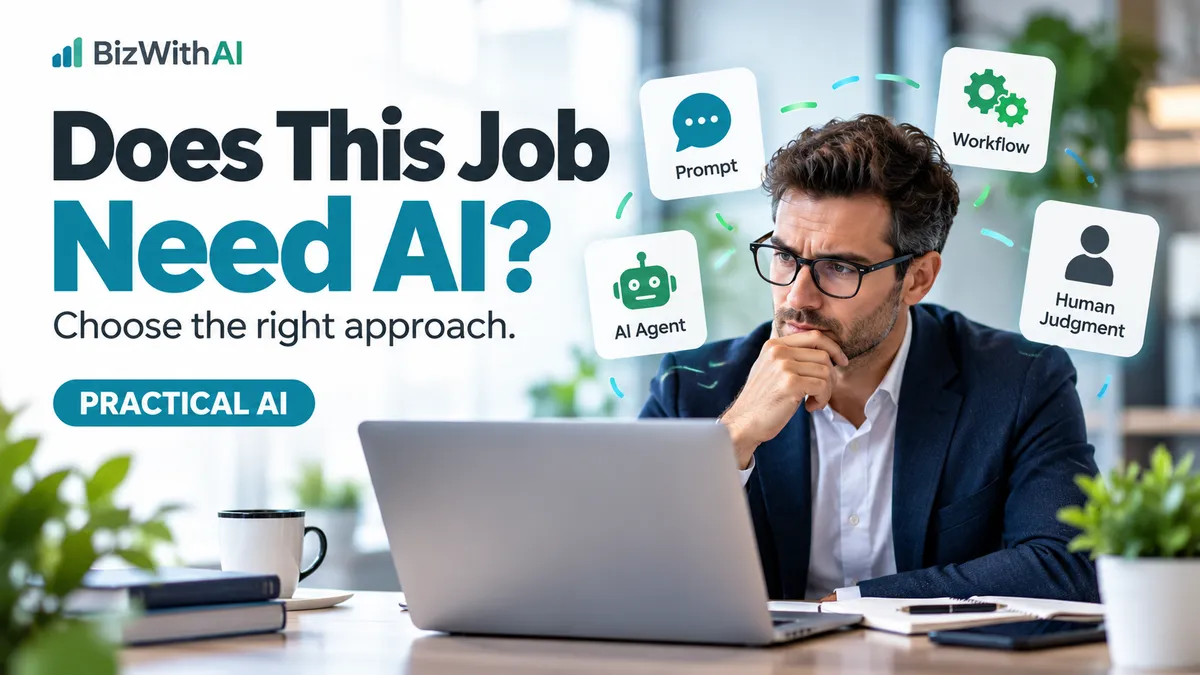
Does This Job Actually Need AI?
Does This Job Actually Need AI?
How to Choose the Right Approach for Your Business
Before investing in another AI tool, start by understanding the job you need to get done.
There is a growing temptation in business to use AI for everything.
Need to respond to customer enquiries? Use AI.
Want to automate appointments? Build an AI agent.
Need to organise information? Find another AI application.
But there's something important missing from many of these conversations.
Not every business problem needs artificial intelligence.
Sometimes a simple automation will do the job perfectly well. Sometimes a good prompt is enough. Sometimes an AI agent can genuinely make a difference.
And sometimes the most valuable decision is to keep a person involved.
The challenge for business owners isn't finding more ways to use AI.
It's learning to recognise which approach is appropriate for the job, what it will cost and whether it will produce a better result.
Let's look at how to make that decision.

1. Start with the business problem, not the technology
Imagine you run a small coaching practice.
You receive enquiries through your website, book discovery calls, follow up with prospective clients and manage existing customer relationships.
There are opportunities to improve efficiency throughout that process.
But before choosing a tool, consider what is actually happening.
Perhaps people book appointments but don't always receive reminders.
Perhaps potential clients submit enquiries that sit unanswered for several days.
Or perhaps you're spending hours every week reviewing client information before preparing for meetings.
These are three different problems.
And they may require three different approaches.
An appointment reminder is a predictable task.
Understanding an enquiry requires some interpretation.
Preparing for a client meeting may involve gathering information, summarising it and exercising professional judgment.
The mistake is treating all three as problems that automatically require AI.
A better starting point is to describe the job in one sentence.
For example:
"We need every person who books an appointment to receive a confirmation and a reminder without somebody having to send them manually."
Now you have a clear business requirement.
And it becomes much easier to choose the right solution.
2. Understand the five connected parts
When people talk about using AI in business, several different concepts often get mixed together.
Let's separate them.
Prompts: Giving AI a clear job
A prompt is the instruction you give an AI system.
You explain what you want, provide relevant context and describe the result you're looking for.
For example, a business owner might ask:
"Review this anonymised customer enquiry. Summarise the customer's main concern, identify information that's missing and suggest three questions I should ask before recommending a solution. Do not assume facts that haven't been provided."
That's a useful application of AI.
The task doesn't necessarily require an automated workflow, a connected application or an autonomous agent.
You simply need AI to help you think through information.
And remember, the first answer doesn't need to be the final answer.
You can review it, provide feedback and ask for improvements.
Best suited to: Drafting, summarising, brainstorming, comparing options and examining information.
Workflows: Making predictable processes happen reliably
A workflow follows defined steps and conditions.
For example:
A customer books an appointment.
The system records the booking, sends a confirmation and schedules a reminder.
If the appointment is cancelled, the reminder is cancelled.
There's no need for AI to decide whether those actions should happen.
The rules are already known.
This is where traditional automation can be extremely valuable.
It reduces repetitive administration, improves consistency and makes it less likely that important steps are forgotten.
Best suited to: Appointment reminders, acknowledgements, record updates, task creation and routine follow-up.

AI agents: Working toward a defined goal
An AI agent can potentially take a more flexible approach.
Instead of following only one predetermined sequence, it may select steps, use available tools, examine information and decide what to do next within defined boundaries.
Imagine asking an agent to prepare a weekly internal business briefing.
Depending on its capabilities and permissions, it might gather information from approved sources, organise the findings, identify missing information and prepare a report for review.
That could be useful.
But an agent introduces additional considerations.
What information can it access?
What actions is it permitted to take?
How do you prevent it from making an incorrect change?
And who checks the outcome?
Best suited to: Multi-step tasks that require interpretation and flexible decisions, where the available tools, permissions and human approval points are clearly defined.
Connected tools and plugins: Allowing systems to work together
Connected tools are not simply another kind of agent.
They provide supported access to information or actions in other applications.
For example, a connected system might be able to retrieve approved customer records, create a task or obtain information from a calendar.
The specific capabilities depend on the application, integration and permissions.
These connections may be used by agents or other automated processes.
Best suited to: Tasks requiring information or actions across several applications.
Human judgment: Deciding what matters
This is the part we should never overlook.
People establish the purpose, understand the customer, question assumptions and take responsibility for important decisions.
A system might help prepare a legal professional's client briefing.
But that doesn't mean the system should provide an unreviewed legal recommendation.
AI might help a business coach organise information from a prospective client.
But that doesn't mean AI understands the client's circumstances well enough to promise an outcome.
Human judgment isn't the final stage after automation. It's involved throughout the process.
These five parts can work together. They are not five levels that every business must progress through.
3. How do you decide which approach to use?
Here is a simple framework you can apply to any recurring business task.
Ask yourself | What it suggests |
|---|---|
Does the task follow the same predictable steps every time? | Start with a workflow. |
Do I need help writing, analysing or organising information? | Start with a prompt. |
Does the task require flexible decisions across multiple steps? | Consider an agent. |
Does the task need information or actions from other applications? | Investigate connected tools. |
Could an error affect a customer, money, confidentiality or professional advice? | Build in appropriate human review and controls. |
These aren't mutually exclusive choices.
You might have a workflow that uses AI to interpret part of an enquiry, then sends the result to a person for approval.
An agent might use connected tools while a workflow handles predictable notifications.
The objective isn't to choose the most sophisticated system.
It's to use the simplest reliable combination that does the job well.

4. A practical example: Handling a new client enquiry
Let's apply this thinking to a small professional services business.
A prospective client completes a contact form on your website.
Their message says:
"I'm looking for help growing my business. I've tried different marketing approaches, but I'm not getting enough enquiries and I'm not sure what to change."
What should happen next?
First: Capture the enquiry.
A workflow creates or updates the contact record in the CRM.
No AI is necessary for that predictable step.
Second: Acknowledge receipt.
The workflow sends a simple confirmation letting the person know their enquiry has been received.
Again, no AI is needed.
Third: Understand the enquiry.
This is where AI might help.
An AI-assisted step could identify that the enquiry relates to lead generation, summarise the prospect's concern and suggest which details need clarification.
But those findings should be treated as suggestions, not verified conclusions.
Fourth: Create an internal follow-up.
The workflow can notify the appropriate team member or create a task.
Fifth: Have a person decide what happens next.
A team member reviews the enquiry and decides whether to ask additional questions, invite the prospect to a conversation or recommend a particular next step.
Notice what's happening.
We're not replacing the entire process with an AI agent.
We're combining predictable automation, a potentially useful AI-assisted step and human judgment.
This is an illustrative design, not a claim that every feature has been implemented or tested in every platform.
It also requires appropriate safeguards for customer data, access permissions and the reliability of any AI-assisted interpretation.
5. What about the cost?
When people compare AI products, they often look at subscription prices first.
That can be misleading.
Imagine two ways to handle the same process.
One uses an existing CRM workflow.
The other requires an additional automation platform, an AI service and several connections between applications.
The second approach may offer greater flexibility.
But flexibility isn't free.
You'll need to consider implementation, maintenance, additional software or usage charges, errors, retries and time spent checking the work.
A useful way to evaluate a solution is:
Cost per successful task = Total process cost ÷ Number of successfully completed tasks
For example, suppose a process costs $150 per month when you include its allocated software, implementation, maintenance and human checking costs.
If it successfully completes 100 tasks, the average cost is $1.50 per task.
If it successfully completes only 75 tasks, that increases to $2 per successful task.
These figures are hypothetical, but they illustrate why the cheapest subscription isn't necessarily the cheapest solution.
There's another consideration.
Saving time doesn't automatically mean saving money.
If you recover five hours a week, what will you do with those hours?
Spend more time with clients?
Improve your service?
Follow up with prospective customers?
Or simply add more activities to an already busy schedule?
The business value comes from what the recovered capacity allows you to achieve.

6. Five questions to ask before implementing AI
Before introducing another tool or automating a new process, work through these questions.
Question 1: What is the business outcome?
Be specific.
"Use AI in our marketing" isn't a measurable outcome.
"Reduce the time it takes to prepare our weekly client follow-up reports while maintaining accuracy" is much clearer.
Question 2: Which steps are predictable?
Identify the parts of the task that always follow the same rules.
These may be handled more reliably and economically through ordinary automation.
Question 3: Where does interpretation add value?
Look for the parts that require understanding written information, identifying patterns or suggesting possible next steps.
These may be candidates for AI assistance.
Question 4: What happens when something goes wrong?
What if the information is incomplete?
What if the AI misunderstands a customer's message?
What if a connected service becomes unavailable?
What if the system produces a convincing but incorrect answer?
Decide how exceptions will be identified, handled and escalated.
Question 5: How will we know whether it's working?
Don't measure success only by whether an automation runs.
Look at outcomes such as:
Percentage of tasks completed correctly.
Time needed for human review and correction.
Number of exceptions or failures.
Total cost per successful task.
Whether customers receive a better, more consistent experience.
Test on a limited set of appropriately protected examples before relying on the process for important business operations.
7. Sometimes the best AI decision is not to use AI
There's something I believe business owners need to hear more often.
You don't need to turn every business process into an AI project.
If an existing system works reliably, there may be no commercial reason to replace it.
If a workflow already handles appointment reminders, you don't necessarily need an agent.
If a well-written prompt helps you prepare a report, you may not need to build a connected application.
And if a customer needs a thoughtful conversation, technology should support that interaction rather than get in the way.
At BizWithAI, our philosophy is to take the hype out of AI and put it to work in business.
That means looking at the business problem first.
Understanding the options.
Considering the costs.
Testing where appropriate.
And retaining human responsibility for the work that matters.
Because the goal isn't to build the business with the most AI.
The goal is to build a business that works better.
Want to understand how these approaches fit together?
I'll be exploring prompts, workflows, agents, connected tools and human judgment in a longer practical teaching video on my YouTube channel.
We'll look at when each approach makes sense and why more complicated technology isn't automatically the better choice.
Subscribe to Tilly Davies on YouTube to find the lesson when it's published.
Written by Tilly Davies, Founder & CEO of BizWithAI.
BizWithAI helps founder-led businesses take the hype out of AI and put it to work through practical systems, automation and better business decisions.